This post was first published on the Taurus blog. Taurus is Coyotiv’s music software: a pedalboard for the Audio Unit plug-ins you already use.
At the end of our last ESP32-S3 post, we asked whether anyone wanted to take the work further. In the Reddit thread, people had boards waiting, pedals they wanted to build, and the same question: where is the source?
We promised to open it up. Here it is.
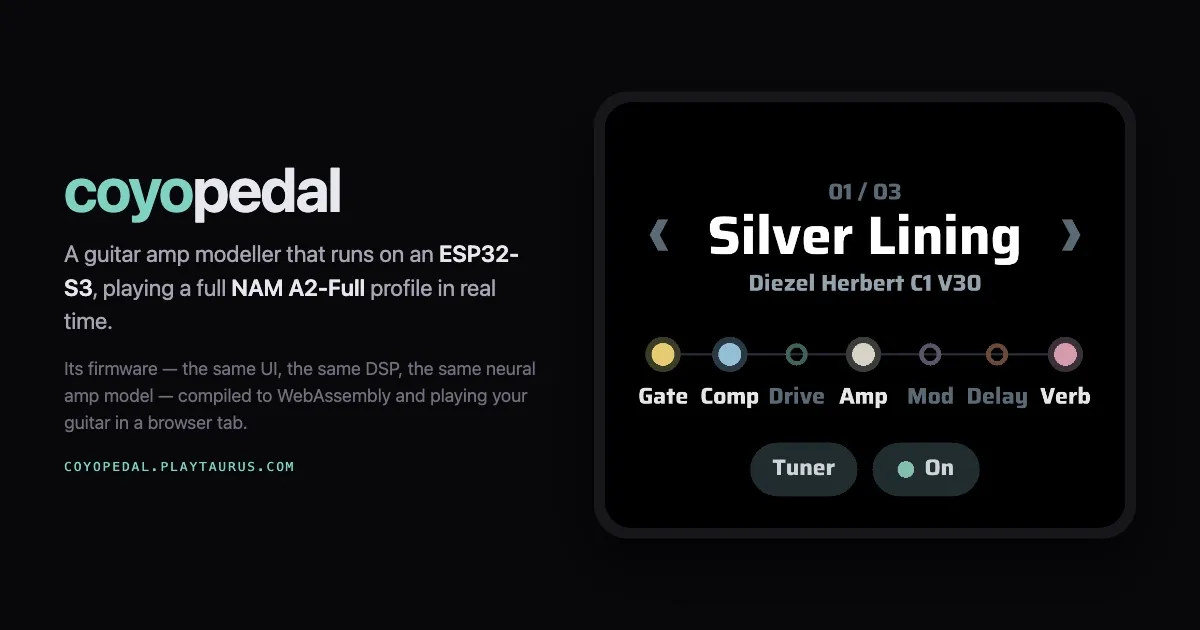
CoyoPedal is our open-source ESP32-S3 guitar amp and effects processor, released under GPLv3. It runs full-size NAM A2 amp profiles at 48 kHz, with effects, presets and a touchscreen around them. It is a stripped-down version of our Taurus effects processor firmware, with the S3 amp engine and the pieces you need to build a working pedal.
You can also play it in your browser at coyopedal.playtaurus.com, before you build anything.
The little chip gets a repository
This started with a question during the Mindy build: could the microcontroller on the desk run the amp? That question took us through Raspberry Pis, an ESP32-P4, A2-Lite on the S3, and eventually the complete eight-channel A2-Full model on the same S3.
Getting A2-Full to fit took an engine built around the chip’s integer vector instructions, work split across both cores, and a great deal of attention to where every buffer lived. The engineering post has the measurements, listening comparisons and things that went wrong. Now the implementation is there to read, change and build on too.
CoyoPedal keeps a focused selection of effects from the larger processor: a noise gate, compressor, chorus, drive, digital delay and stereo spring reverb. There are saved presets, an amp browser and a tuner that mutes the output while you tune. Tap an effect to switch it, hold it to edit, and save the result under a name you will remember.
The release includes two captures from Lum’s VoLum collection: a Diezel Herbert channel 1 and an Ampete One channel 4, both with V30 cabinets. Thank you to Lum, and to the Neural Amp Modeler community, for making this kind of project possible.
Your own captures go on a microSD card as original .nam files. CoyoPedal reads and prepares them on the device, then caches the result beside the source so subsequent loads are quicker. The first preparation takes about 10 seconds. There is no desktop conversion step, and the original capture stays untouched.
The supported format is 48 kHz, eight-channel A2-Full WaveNet captures. That distinction matters when choosing files: the release does not load every NAM architecture or sample rate.
Try it, then build it
The browser version runs the firmware’s UI, DSP and amp engine compiled to WebAssembly. Connect an audio interface to your computer and play through it. You can also give it a folder of your own captures. It is a useful way to try the sound and controls, although browser audio latency depends on your computer, browser and interface.
CoyoPedal’s UI is built with Gea Stack, a new stack we developed to make applications truly portable across macOS, iOS, Android, Windows, Linux and embedded devices, and even Xbox for Three.js games. In this pedal, the same TypeScript, JSX and CSS interface compiles to native C++ on the ESP32-S3. Gea Stack also supports building the application for WebAssembly, which made bringing CoyoPedal to the browser very straightforward: we compiled the same UI, DSP and amp engine into a web app. That lets us build and evolve one application across both. Read more about it on geastack.com.
On hardware, the reference board is the Waveshare ESP32-S3-Touch-AMOLED-2.06. It has the touchscreen, microSD slot and power management in one small package. A USB audio interface supplies the guitar input and audio outputs; the S3 acts as its host and does the processing.
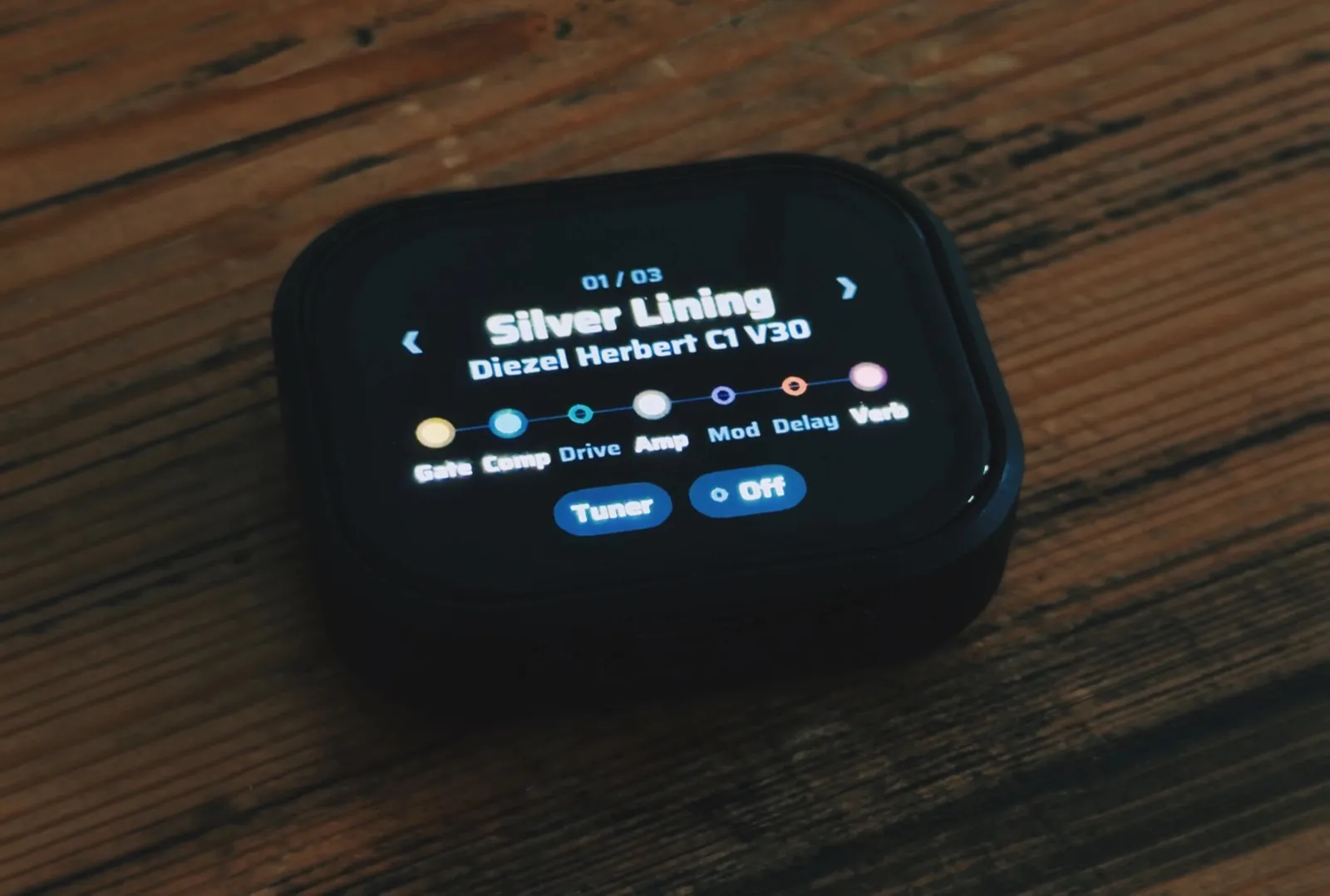
The same firmware also builds for an ESP32-S3-DevKitC-1 N16R8 without a screen. There, the BOOT button engages or bypasses the pedal, and configuration happens through the maintenance tools. You need 8 MB of PSRAM and a usable USB host connection, with power supplied to the interface. The README covers both boards, and the USB documentation describes interface compatibility.
The repository includes the engine, effects, interface, build instructions and host tests. If you want to understand the tight parts, start with the architecture and memory notes. If you want to make it yours, change an effect, rearrange the controls or help bring up another board.
Firmware freedom
There is a larger reason we wanted to release this.
We think owning hardware should include choosing what runs on it. If you like the inputs, outputs, buttons and enclosure of a device, you should be able to keep those and replace its firmware. A manufacturer should not have the final word on what your hardware is allowed to become.
That is the firmware freedom we want to help make ordinary. It shares a principle with device neutrality: the owner should control the software on the device. You can see it in CrossPoint on Xteink readers, and in Android devices that allow their bootloaders to be unlocked. People choose hardware they like, then choose software that suits them.
We got a very personal demonstration when an iRig HD X became an amp modeller after a firmware replacement. The guitar input, headphone output and volume wheel were already there. Changing the code changed what the box could do.
That deserves a longer post of its own. For now, CoyoPedal is our contribution to that firmware revolution: source you can inspect, firmware you can build, and a pedal you can change yourself.
Try CoyoPedal in your browser or get the source and build one. If you make something with it, show us. We would love to hear what this little chip does next.
More from the team behind CoyoPedal on the Taurus blog, and the rest of what we build on our products page.